
How to Accurately Extract Guitar Chords from a Song and Practice Along
You hear a song you love, and you want to play it. Not the vocal melody, not the bass line — the guitar part. The chords underneath everything.
The problem is that on a finished recording, the guitar is buried. It shares the same frequency space as the vocals, the piano, the synths. Pulling it out by ear is slow, and if you're not confident about your ear, it's frustrating.
There are two ways to solve this. The old way, and the AI-assisted way. Both work. The second one is a lot faster.
The old way: listen and hunt
Experienced musicians do this by ear. They loop a section, hum along, and find the root note on a fretboard. Then they try chord shapes until something matches.
It works, but it has real limits:
- Dense mixes are hard. If the guitar is one layer among six, your ear has to filter out the rest first.
- Distortion hides the fundamentals. Power chords and heavy gain make the exact notes less obvious.
- It takes time. A skilled player might need 20 minutes for a 3-minute song. A beginner might give up.
For simple acoustic tracks with one guitar, the old way is still the fastest. For anything else, you need help.
The AI-assisted way: separate, then detect
The modern approach breaks the problem into two steps.
Step 1: Isolate the guitar. Run the song through a stem separation tool. The track gets split into individual instruments — typically vocals, drums, bass, and "other." The guitar usually lands in the "other" stem, or in its own stem depending on the model.
Step 2: Detect the chords. Feed the isolated guitar track into a chord detection tool. It analyzes the pitches over time and returns a chord chart — something like Am – F – C – G for each bar.
Here's what that looks like: the guitar track is isolated with Sonicaura's stem separation, and the chords are marked along the timeline.
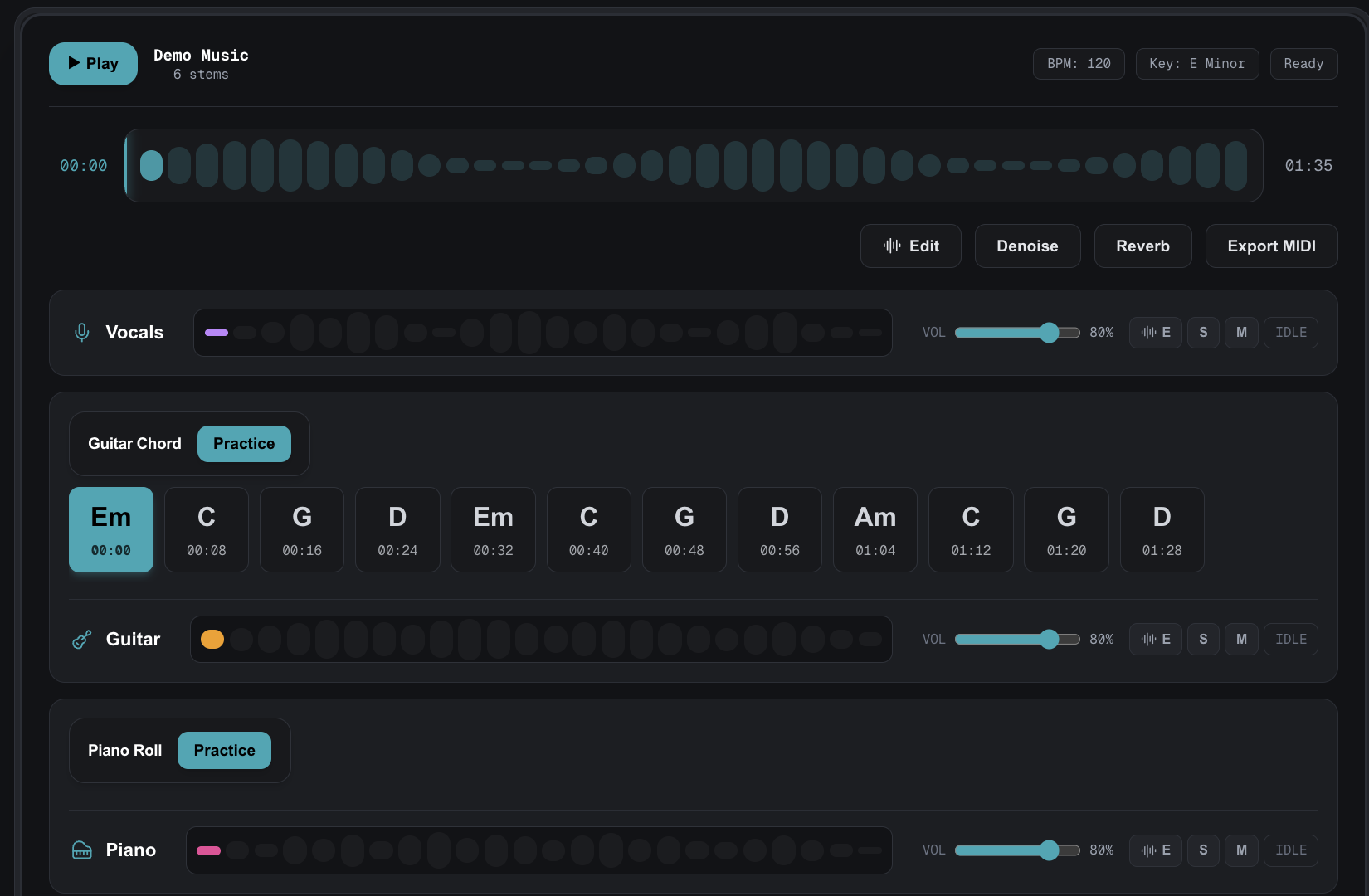
The advantage here is that each step does one job well. The separation tool doesn't need to understand music theory; it just needs to pull one instrument out of a mix. The chord detector doesn't need to deal with drums or vocals; it only hears the guitar.
Why separation matters for chord detection
You might wonder: why not just run chord detection on the full song?
You can, and sometimes it works. But the results are noticeably worse, because:
- Vocals confuse the detector. A sustained vocal note sits in the same range as a guitar note. The detector has no way to tell which is which, so it guesses — often wrong.
- Drums add noise. Kick and snare hits create sharp transients that the detector may misread as note attacks.
- Bass overlaps with low guitar notes. If both are playing, the low end becomes muddy, and chords built on the lower strings get misidentified.
Isolating the guitar first removes all three problems. The detector only hears one instrument, so its output is far more accurate.
What you get out of it
Depending on the tool, a guitar chord extraction usually gives you:
- A chord chart. Bar-by-bar progression, like
C – G – Am – F. - A timeline. Which chord plays at which timestamp, so you can loop a section.
- Sometimes tab. Some tools go further and estimate the fretboard positions. This is harder and less reliable, but useful as a starting point.
For most people, the chord chart is the goal. It's enough to sit down and play along.
Where this works well, and where it doesn't
It works well for:
- Acoustic singer-songwriter tracks with one guitar.
- Clean electric parts in pop, folk, or country.
- Rhythm guitar in rock songs, where the chords are held long enough to detect.
It struggles with:
- Heavily distorted metal, where the fundamental pitches are buried in harmonics.
- Fast fingerpicking, where notes blur together.
- Songs with multiple guitar layers playing different parts.
In those cases, the AI output is a starting point, not a final answer. You still need your ear.
The practical workflow
If you want to try this yourself, here's the sequence:
- Get the track as an audio file (MP3 or WAV).
- Separate the stems using an AI tool. Isolate the guitar or "other" stem.
- Download the isolated track.
- Run chord detection on the isolated guitar.
- Read the chord chart and play along.
The whole process takes a few minutes. The old way takes a few hours.
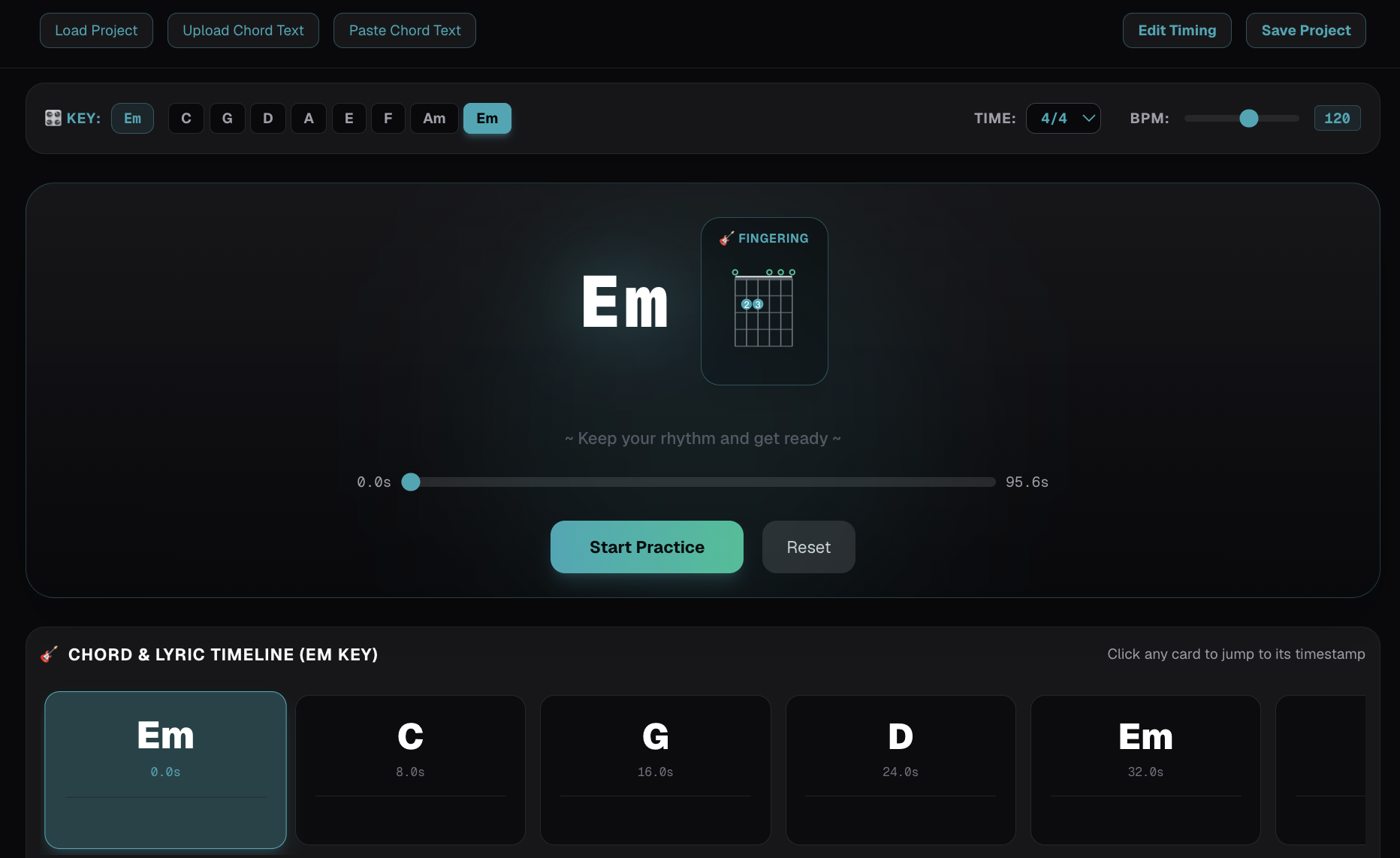
Once you have the chords, you can practice them with Sonicaura's practice tools and play along right away.
A note on accuracy
No chord detector is perfect. Even with a clean isolated guitar track, you'll get occasional wrong chords — usually where the guitar plays a passing tone, or where two chords share notes.
Treat the output as a draft. Play through it, listen for spots that sound off, and fix them by ear. That's faster than starting from nothing.
Why this matters
Learning songs by ear is a real skill, and it's worth building. But it's also slow, and not every song is worth the effort.
When you just want to play along with a track tonight, AI-assisted extraction gets you there. You spend your time playing instead of hunting for chords.
That's the trade-off: you give up some of the ear-training, and you get the song in your hands faster.
For most people, that's a good deal.
Ready to try it?
Open the tool in your browser — no install, no signup.
Try Sonicaura's AI audio tools →