
How to Find & Create Background Music for Podcasts
If you host a podcast, you already know the struggle. You’ve recorded a great episode, edited out the ums and ahs, and now you just need a subtle background track to tie it all together.
You spend hours scrolling through stock music libraries. You finally find something that sounds okay, but then you realize it has a loud drum beat that clashes with your voice. Or worse, you start worrying about copyright strikes and whether you’re allowed to monetize the episode.
Finding the right background music shouldn't be this hard. Here is why most podcast music falls flat, and how you can fix it in just a few clicks.
The Problem with Traditional Stock Music
Most stock music is written to be the main event — not a background. When you place a standard pop or rock track under a two-person interview, it fights for attention. The instruments are too loud, the melody is too complex, and the listener gets distracted.
To make matters worse, podcasters usually need very specific things from their music:
- It must be instrumental. Vocals in the background will completely confuse your listeners.
- It needs to be slow. A fast tempo makes a relaxed conversation feel anxious.
- It has to be "under voice." This is a mixing term that means the music sits quietly underneath the spoken words, gently filling the silence without overpowering it.
How AI Changes the Game
Instead of searching for a song that almost fits your vibe, you can now use AI to generate a track that is exactly what you need.
Our AI BGM Generator was designed with creators in mind. Instead of a complicated music production interface, you just tell the AI what you want in plain English.
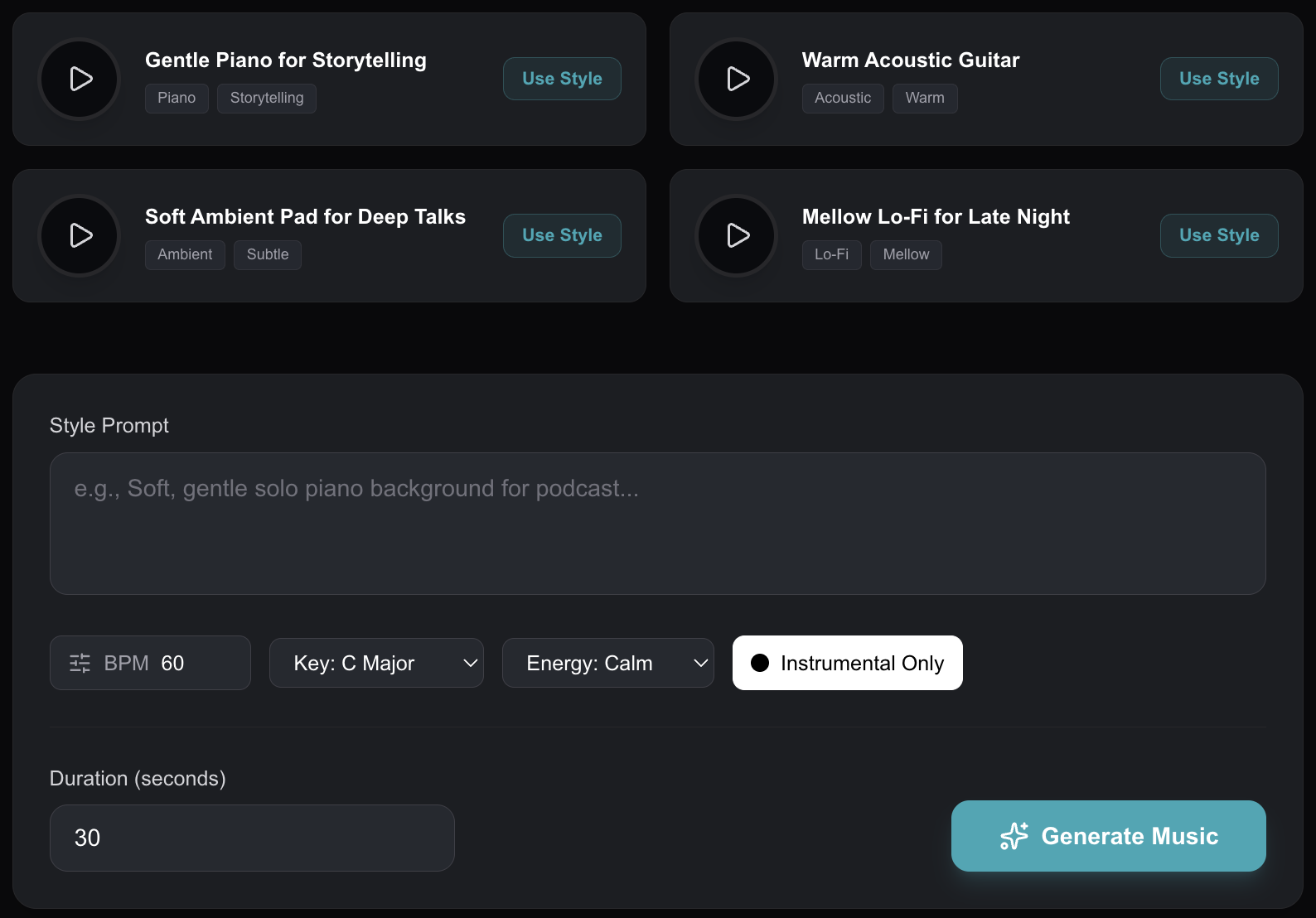
Want a soft, storytelling vibe? Just type: "Gentle solo piano background, slow tempo, very low volume, no drums." The AI will instantly compose a unique, 30-second loop that is perfectly tuned to sit quietly under your voice.
Why Presets Make It Even Easier
If you don’t know the difference between a "C Major" and an "A Minor" chord, don't worry. We’ve built Preset Vibes right into the tool.
If you need a track for a deep, serious interview, just click the "Soft Ambient Pad" preset. If you want a cozy late-night feel, click "Mellow Lo-Fi." The tool automatically fills in the right tempo (BPM), key, and instruments for you.
No Copyright Strikes, No Worries
Every track you generate is 100% unique and royalty-free. You don’t need to worry about Content ID claims on YouTube, or paying monthly subscription fees to a music library. You can generate it, download the MP3, and drop it straight into your audio editor.
Ready to Elevate Your Podcast?
Stop letting bad music ruin a great episode. Give your listeners a smooth, professional experience by generating custom background music that lets your voice shine.
Ready to try it?
Open the tool in your browser — no install, no signup.
Visit Podcast workspacece now →