
How to Transcribe Podcast & Voiceover Audio to Text & Generate Show Notes
For podcast creators, the audio is only half the battle. The real time-consuming work happens after you hit the stop record button: transcribing the episode, creating SRT subtitle files for social media, and writing compelling show notes to improve your SEO.
Manually doing this can take hours. But with modern AI audio suites, you can automate the entire process.
In this guide, we will show you exactly how to use Sonicaura Studio to turn your raw podcast audio into accurate transcripts and engaging AI show notes in minutes.
Step 1: Upload Your Audio File
The first step is incredibly simple. Navigate to the Transcribe & Show Notes workspace. You can upload your podcast episode (like an MP3 or WAV file) directly to the platform.
Our AI engine is designed to handle different audio qualities, ensuring you get the most accurate text extraction possible without needing to adjust complex settings.
Step 2: Generate Transcript & Subtitles
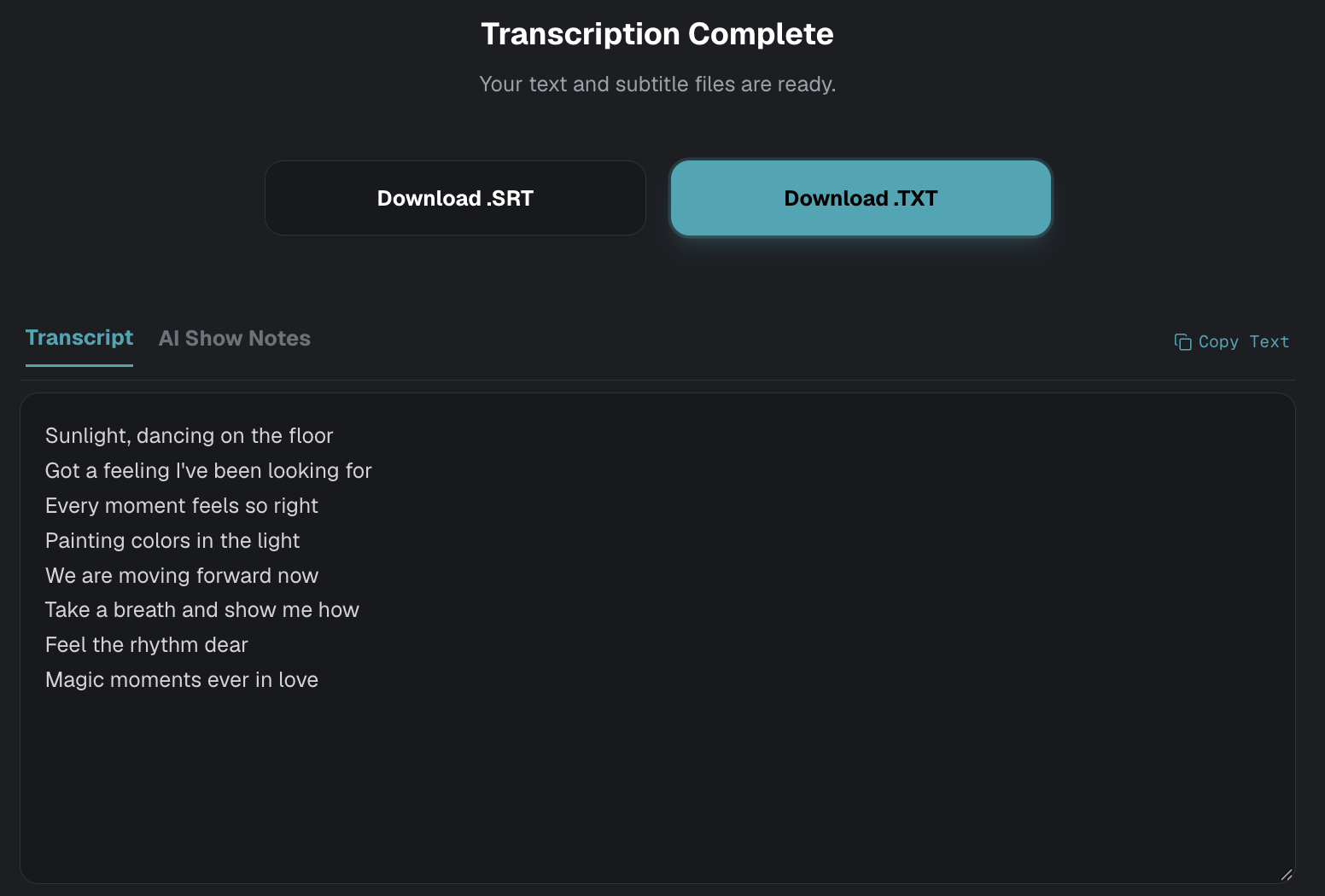
Once your file is uploaded, click "Generate Transcript". The AI will instantly process the audio, identifying speakers and converting spoken words into text.
When the "Transcription Complete" screen appears, you have instant access to two crucial assets:
- Download .SRT: A perfectly timed subtitle file ready for YouTube, Premiere Pro, or social media clips.
- Download .TXT: A plain text version of the entire episode, perfect for your website blog or archival purposes.
Step 3: Utilize the AI Show Note Generator
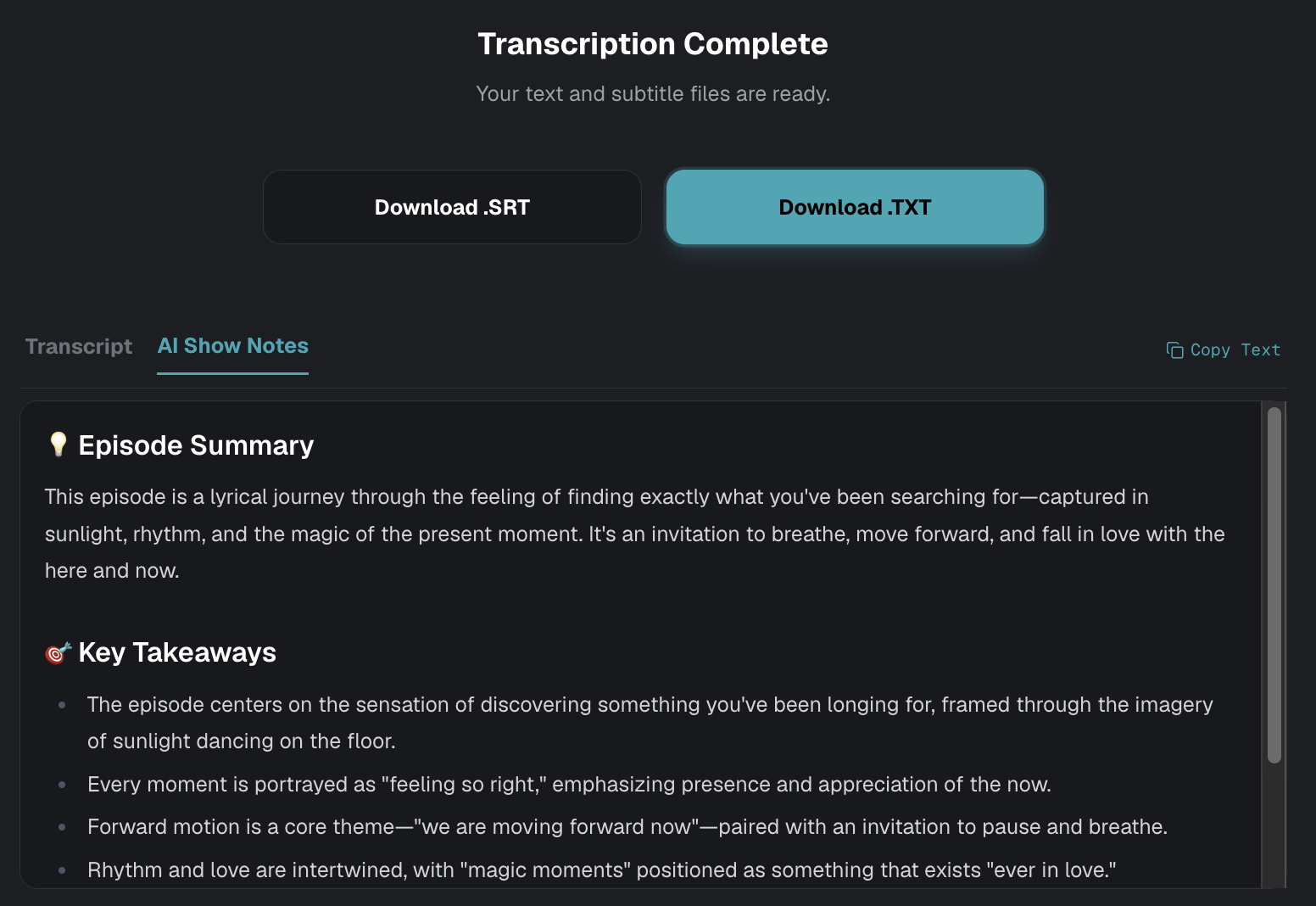
Writing show notes is often the most tedious part of podcast post-production. To fix this, simply click on the "AI Show Notes" tab.
Our AI doesn't just copy-paste the transcript; it understands the context of your podcast. It will automatically generate:
- Episode Summary: A concise, engaging overview of what the episode is about.
- Key Takeaways: A bulleted list of the main points discussed, making it easy for listeners to scan and digest the content.
These AI-generated notes are SEO-friendly and can be pasted directly into your podcast hosting platform (like Apple Podcasts or Spotify) or your website's CMS to boost your search visibility.
Why Automating Your Podcast Workflow Matters
- Accessibility: Providing transcripts and SRT files makes your podcast accessible to deaf or hard-of-hearing audiences.
- SEO Boost: Search engines cannot listen to audio, but they can read text. Publishing transcripts and detailed show notes drastically improves your discoverability.
- Social Media Content: The AI-generated key takeaways and SRT files make it incredibly easy to pull quote graphics and captioned video clips for Instagram, TikTok, and LinkedIn.
Ready to Save Time?
Stop spending hours typing out dialogue. Let AI do the heavy lifting so you can focus on what you do best: creating great content.
Ready to try it?
Open the tool in your browser — no install, no signup.
Try Podcast Transcription and Show Note →