
How to Help Podcasters or Voiceover Clean Up/Remove Background Noise in Audio
For podcasters and voiceover artists, audio quality is everything. You can have the most engaging interview or the most captivating story, but if your listeners are distracted by background hiss, room echo, or street noise, they will click away.
In the past, achieving studio-quality audio meant spending hundreds of dollars on acoustic foam, high-end microphones, and hours of manual editing in complex DAWs.
Today, AI technology has completely changed the game. Here is how you can help any podcaster instantly elevate their audio quality using SonicAura Studio.
The Common Podcasting Audio Nightmare
Even experienced podcasters face environmental challenges:
- The Home Studio Echo: Recording in a living room or bedroom often results in unwanted reverb and echo.
- Unwanted Background Noise: The hum of a laptop fan, traffic outside, or even the neighbor's dog barking.
- Inconsistent Audio Levels: Guests on a remote interview might have lower quality microphones or different room acoustics.
Fixing these issues manually using EQ, noise gates, and de-reverb plugins requires a steep learning curve and endless tweaking.
The Solution: AI Podcast Noise Reduction by SonicAura Studio
To solve this, we built a dedicated Podcast & Voiceover Workspace inside SonicAura Studio. It is designed to turn any raw voiceover into studio-quality audio in just one click.
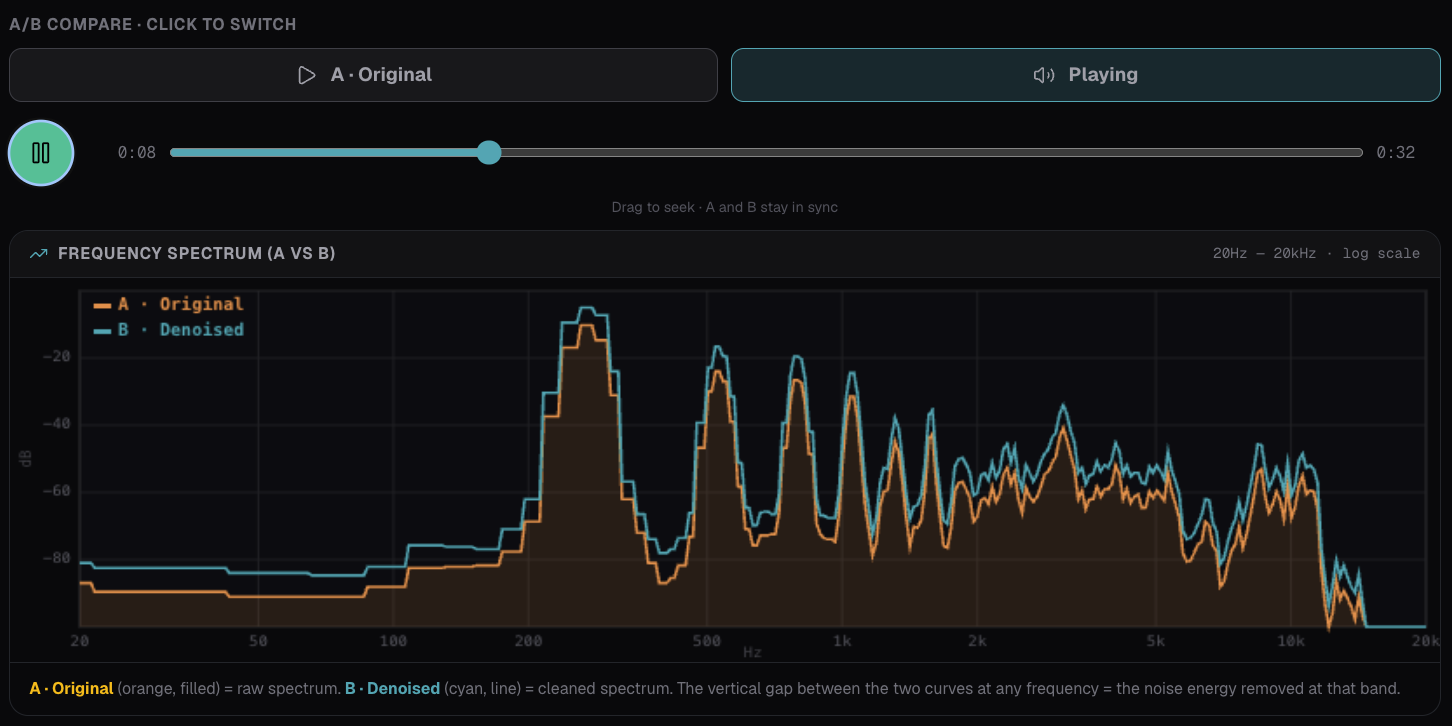 (SonicAura Studio's intuitive interface allows you to upload audio, select the Speech/Podcast mode, and hear the A/B difference instantly.)
Key Features of Our Tool:
- Instant AI Denoising: Instantly remove background noise, hiss, and echo from your recordings.
- Tailored Speech Mode: With the "Speech / Podcast" mode, the AI is optimized for pure voice isolation. It intelligently removes background music and ambient noise while preserving the natural warmth of the human voice.
- Built-in Vocal Clarity EQ: It automatically applies gentle EQ adjustments, ensuring your voice sounds broadcast-ready.
- Broadcast Standard Output: The tool automatically outputs audio at -14 LUFS, which is the exact loudness standard recommended by platforms like Spotify and Apple Podcasts. No more volume guessing games.
- A/B Comparison: Before you commit, you can use the A/B compare feature to hear the original raw audio against the newly denoised version.
How to Use the SonicAura Denoise Tool
You don't need to be an audio engineer. The workflow is incredibly simple:
- Upload: Drag and drop your audio recording (supports MP3, WAV, FLAC, M4A up to 500MB).
- Select Mode: Choose the "Speech / Podcast" mode.
- Denoise: Click "Start AI Denoise".
- Export: Save the studio-quality audio directly to your episode workflow.
Ready to Upgrade Your Podcast?
Whether you are an indie podcaster, an audio editor, or a content creator, SonicAura Studio’s Podcast Workspace takes the headache out of audio cleanup.
[Try SonicAura Studio Now] — Upload your raw recording and experience studio-quality denoising in one click.
Ready to try it?
Open the tool in your browser — no install, no signup.
Upload your raw recording and experience studio-quality denoising in one click. →