
How to Use Guitar Chord Template for Chord Practicing
You want to practice guitar, but you spend the first ten minutes deciding what to play. Picking a song, finding the chords, and checking the key eats the time you meant to spend with the instrument. A template gives you a starting point that is already laid out.
Sonicaura Studio's Guitar Chord Templates for Beginners page lists classic simple songs you can load into Chord Maker to practice or edit.
1. Pick a song from the template gallery
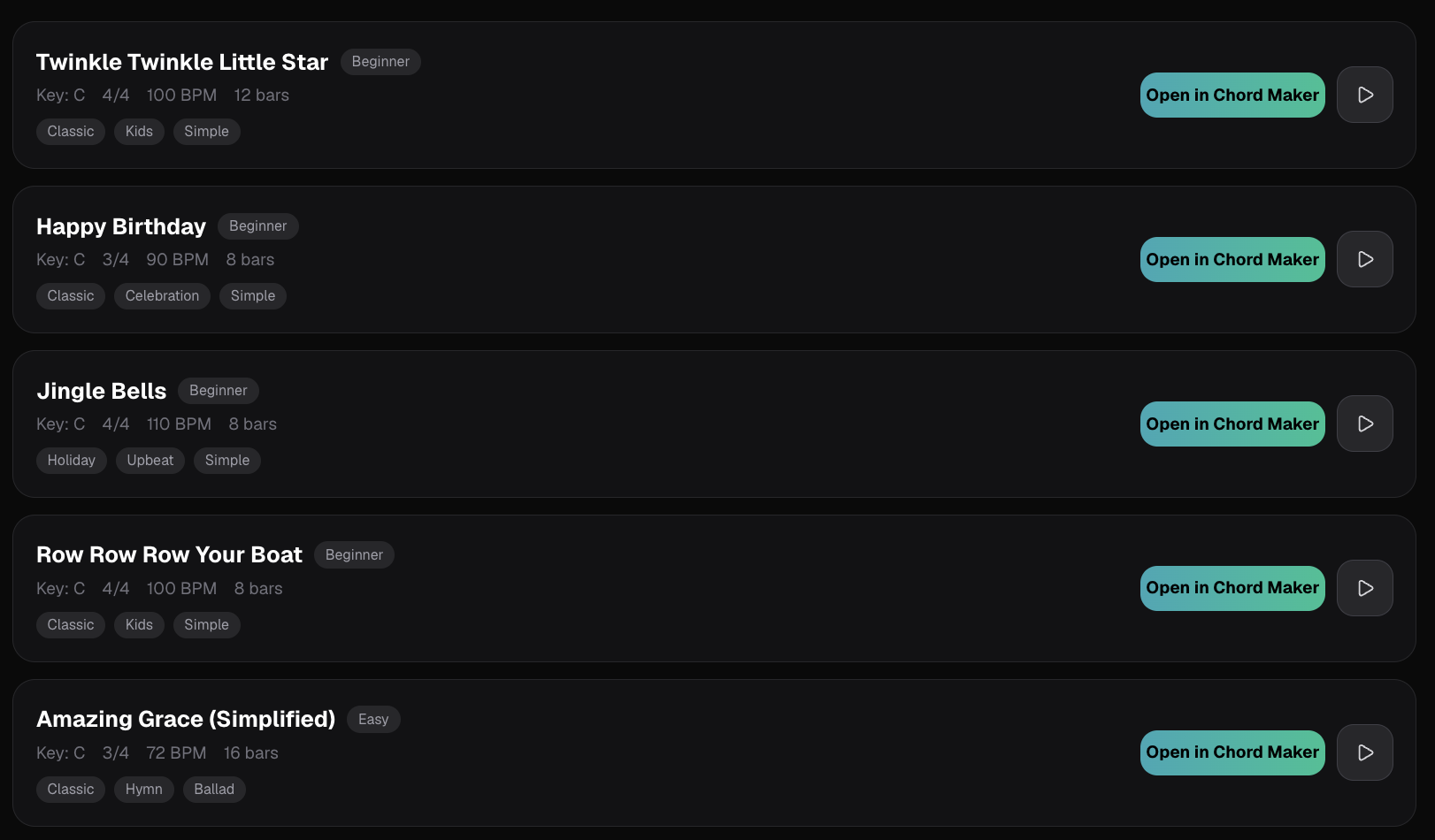
Open the guitar workspace and select Chord Templates. The page shows a card for each song. Every card displays the template name, its Difficulty, the Key, the BPM, and the number of bars.

Above screenshot: Each template card lists the song name, Difficulty, Key, BPM and bar count.
Start with a Beginner card if you are new to chord changes. Twinkle Twinkle Little Star sits in the key of C at 90 BPM across 15 bars. Ode to Joy is also Beginner, in C at 88 BPM across 16 bars.
2. Narrow the list with Difficulty and Style
Two filter rows sit above the cards. Difficulty offers All, Beginner, and Easy. Style offers All, Classic, Kids, Simple, Celebration, Holiday, Upbeat, Hymn, Ballad, Folk, Minor, and Uplifting.

Above screenshot: The Difficulty and Style filter rows, with All selected in both.
Each card carries its own style tags. Jingle Bells is tagged Holiday, Upbeat, and Simple. House of the Rising Sun (Simplified) is tagged Folk, Classic, and Minor. Filter by the tags that match what you want to work on.
3. Open the template in Chord Maker
When a card looks right, click Open in Chord Maker on that card. The song loads into Chord Maker, where you can practice or edit it. If you want to change the key or BPM before you play, do it there.
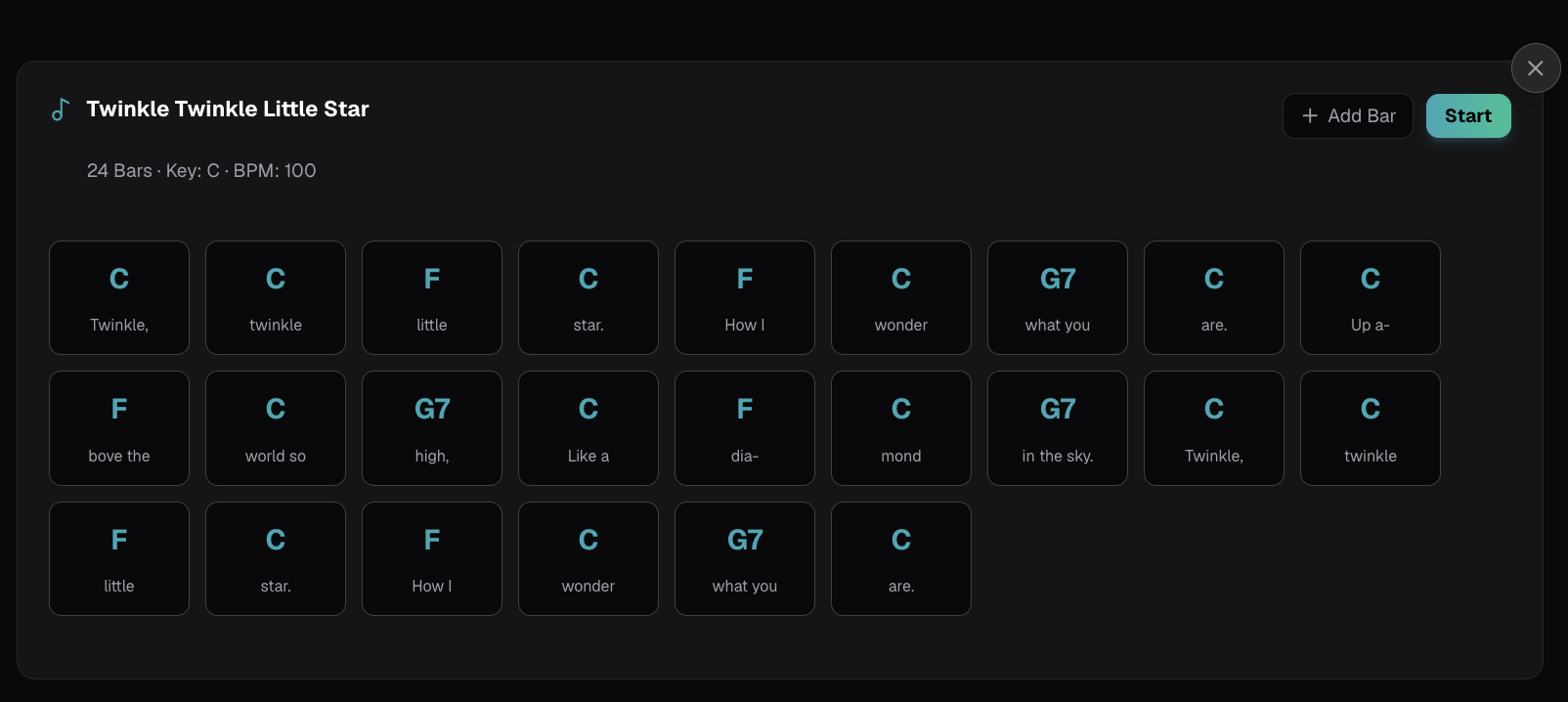
Above screenshot: The Open in Chord Maker action on a template card.
From Chord Maker you can move to Chord Practice, check a voicing in Chord Query, or send the progression out with MIDI Export. Everything starts from the same loaded template.
4. Open Guitar Chorid & Practice
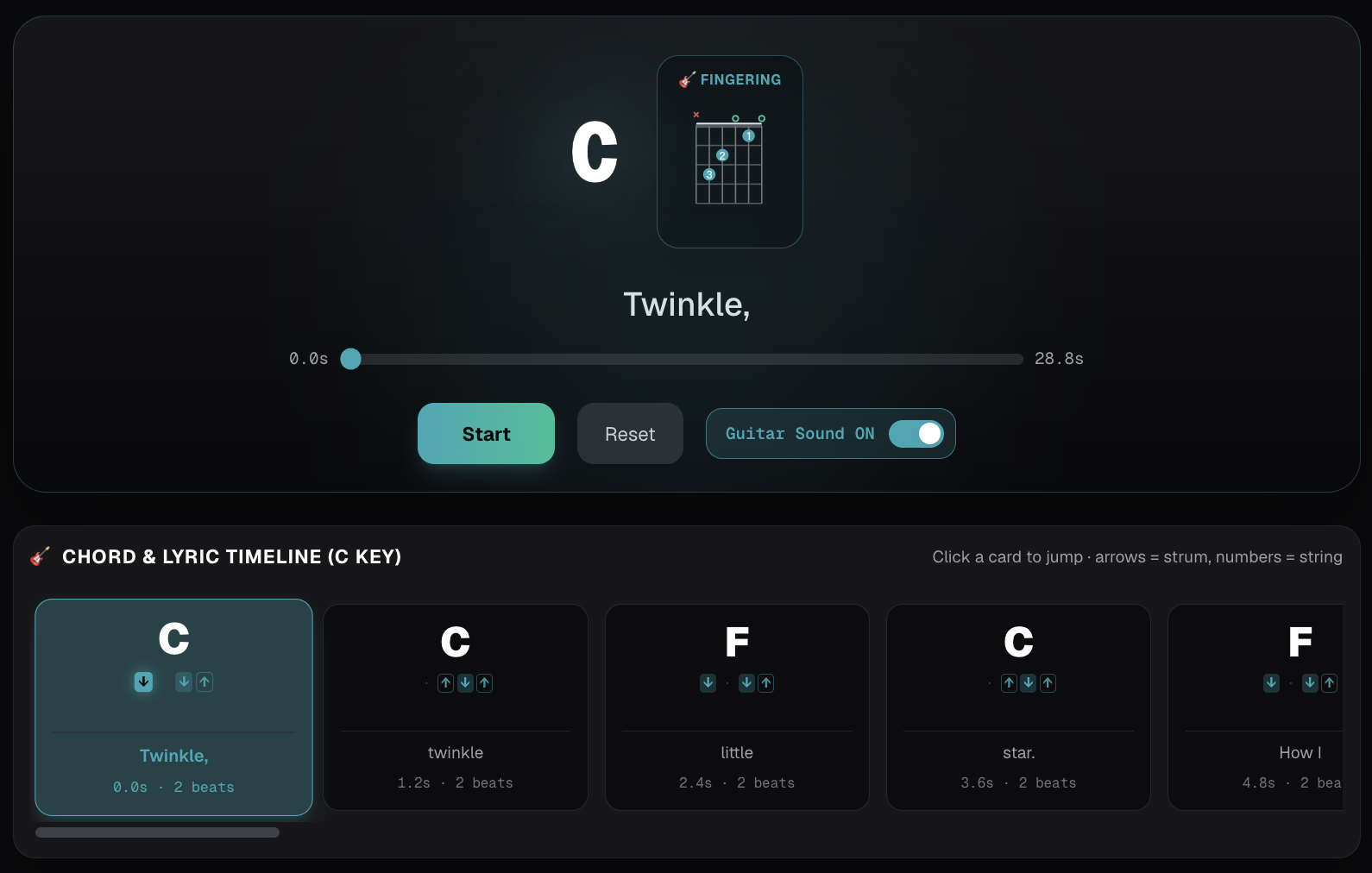
Above screenshot: The Open in Chord Practice page .
Start with a template you already know
Pick one song, load it, and play it through once. That is the whole loop.
Browse the guitar chord templates
Frequently Asked Questions
What is a guitar chord template?
It is a ready-made song entry on the Chord Templates page. Each one comes with a name, a Difficulty level, a Key, a BPM, a bar count, and Style tags, and it loads into Chord Maker with one click.
Which templates are best for a total beginner?
Filter Difficulty to Beginner. That leaves Twinkle Twinkle Little Star, Happy Birthday, Jingle Bells, Row Row Row Your Boat, and Ode to Joy, all in the key of C.
What do the Style tags mean?
They describe the character of the song. Examples on the page include Kids, Holiday, Hymn, Ballad, Folk, Minor, and Uplifting. Use them to find a song that fits the mood or technique you want to practice.
Can I change a template after opening it?
Yes. Open in Chord Maker loads the song into the editor, where you can adjust it before practicing. The template is a starting point, not a fixed file.
Do I need to know the chords before I start?
No. The card shows you the key and the tempo up front, and Chord Maker holds the progression once the song is loaded. You can also look up any chord shape in Chord Query.
What does the BPM on a card tell me?
It is the tempo the template is set to. Jingle Bells shows 110 BPM, while Amazing Grace (Simplified) shows 70 BPM. Pick a slower one if you are still building speed.
Where do the loaded templates go?
Into Chord Maker in the guitar workspace. From there you can continue to Practice, Chord Progression, Chord Query, MIDI Export, or History.